
What You Need to Know
In the Patient Medications Shop (Orders page), only prescriptions that are:
- Not expired
- Not fully dispensed
will be visible.
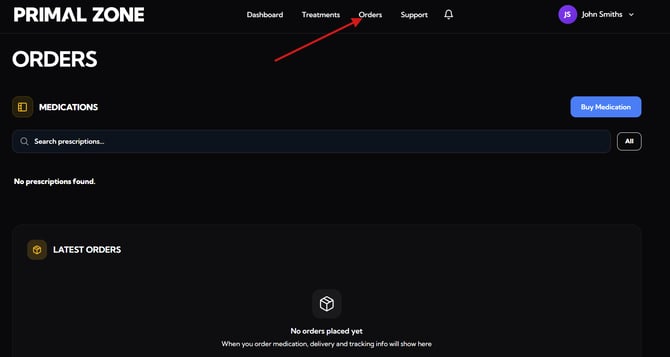
Common Reasons Your Prescription Is Not Showing
1. Your Prescription Has Expired
- Prescriptions are only valid for a set period (typically around 6 months)
- Once expired, they are automatically hidden from your portal
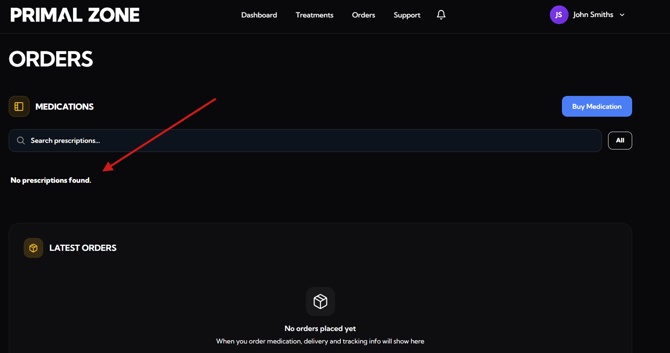
2. Your Prescription Has Been Fully Dispensed
- Each prescription has a set number of repeats/quantities
- Once all repeats are used, the prescription is considered fully dispensed
- Fully dispensed prescriptions will no longer appear for reordering
3. Both Expired + Fully Dispensed (Most Common Scenario)
In many cases, prescriptions are:
- ✅ Fully used and
- ❌ Expired
This means:
- You cannot reorder, and
- The prescription will no longer appear in your portal
Why It May Seem Like It Disappeared
Previously, expired prescriptions may have still appeared (e.g. greyed out), but:
👉 The portal now hides expired prescriptions completely
👉 This helps ensure only valid, actionable prescriptions are shown
What You Need to Do Next
If your prescription is no longer showing:
➡️ You will need to complete a renewal in your patient portal
How to Renew Your Treatment
1. Go to Your Patient Portal
Once logged in:
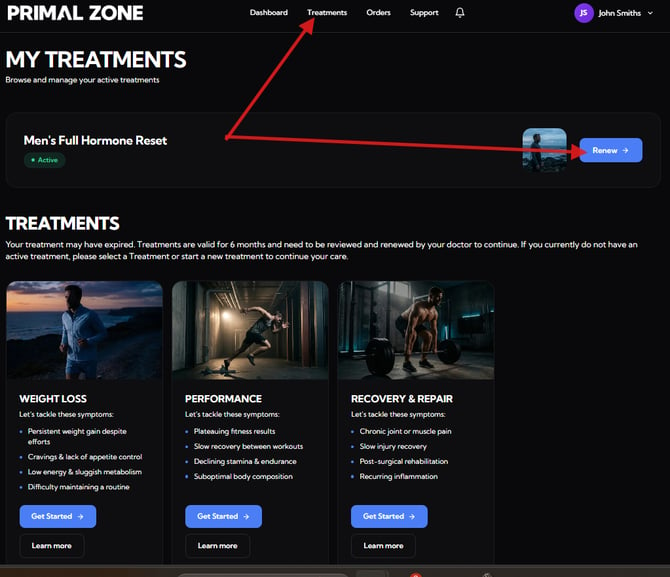
- Click “Treatments” in the top navigation
- Locate your active treatment (e.g. Men’s Full Hormone Reset)
You will see:
- “Renew” → if your treatment is ready for renewal
2. Complete the Renewal Form
You will be guided through a short questionnaire.
As part of this process, you may be asked:
- To confirm your recent health updates
- Whether you have completed any required blood tests
3. Submit Your Renewal
Once you complete the form:
- You will see a confirmation message
- You will then be redirected to the payment page to finalise your renewal
4. What Happens Next
After completing your renewal:
- Your submission will be reviewed by the clinical team
- Our team will provide an update within 2–3 business days
Example Scenario
You may not see your prescription if:
- You used all available repeats (e.g. 2 out of 2)
- Your prescription has passed its expiry date
👉 In this case, a new prescription is required — not just a reorder
Important Reminder
Prescriptions must be:
- Within validity period
- Have remaining repeats
Otherwise, a renewal consultation is required before continuing treatment.
Still Not Sure?
If you believe your prescription:
- Should still be active, or
- Has not been fully dispensed
Please contact our team:
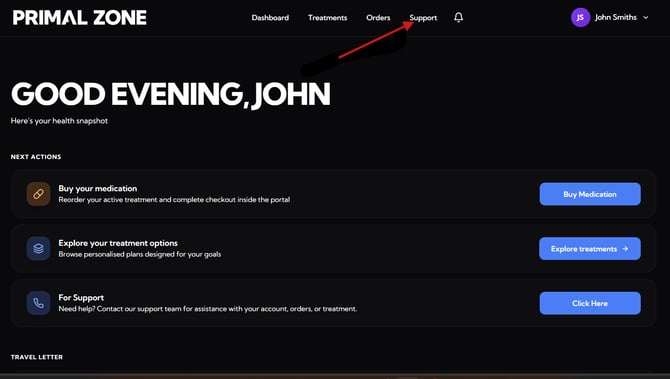
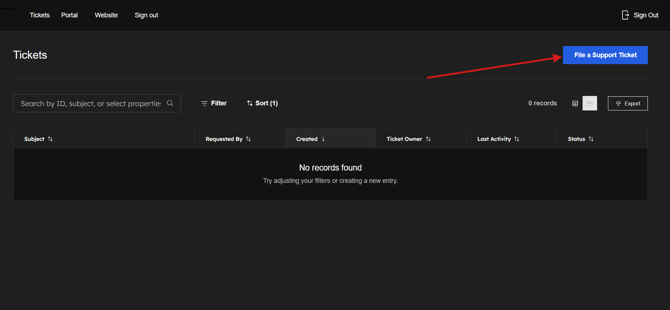
👉 Click the “Support” button at the top of your patient portal
- You will be redirected to the Tickets page
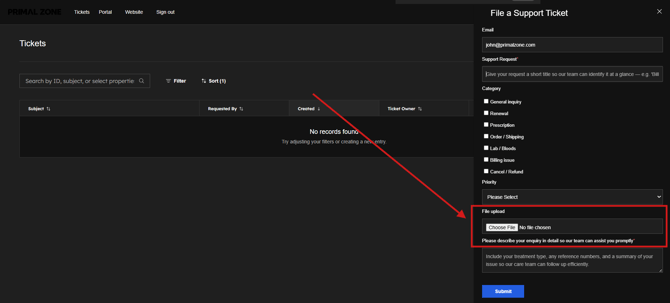
- Click “File a Support Ticket” to contact the team
- Please add a screenshot of the whole page where you encounter the issue. (This would help as identify and fix the problem efficiently)
Our team will assist you as soon as possible.