
Step 1: Log in to Your Patient Portal
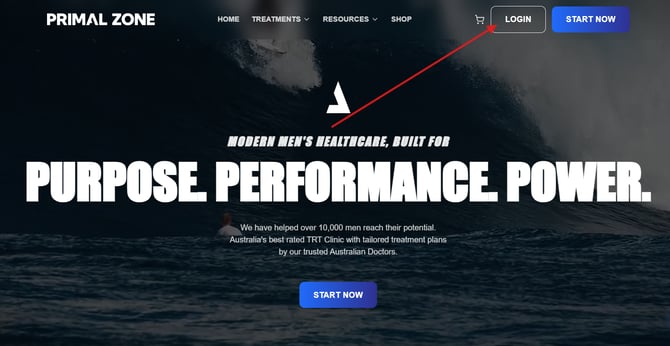
Go to PrimalZone.com and click Login in the top right-hand corner.
Step 2: Go to Your Treatments Page
Once logged in:
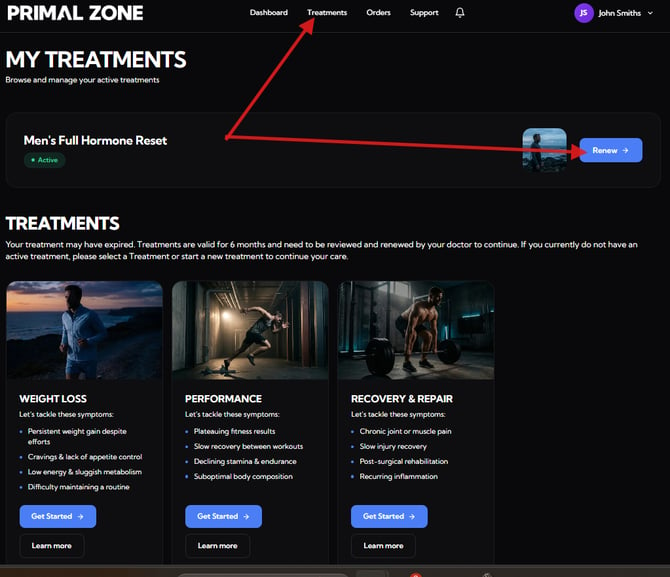
- Click “Treatments” in the top navigation
- Locate your active treatment (e.g. Men’s Full Hormone Reset)
You will see either:
- “Renew” → if your treatment is ready for renewal
Step 3: Complete the Form
You will be guided through a short questionnaire.
As part of this process, you will be asked if you have completed any blood tests since your last review.
Step 4: Blood Test Requirement
- If No → You will be prompted to purchase a blood test kit before your renewal consultation
- If Yes → You will need to upload your blood test results and provide the test date
Step 5: Submit and Payment
Once completed:
- You will see a confirmation message
- You will be redirected to the payment page to finalise your renewal treatment
Step 6: What Happens Next
After payment:
- Your renewal will be submitted for clinical review
- Our team will provide an update within 2–3 business days
Still Not Sure?
If you believe your prescription:
- Should still be active
- Has not been fully dispensed but has already expired
Please contact our team:
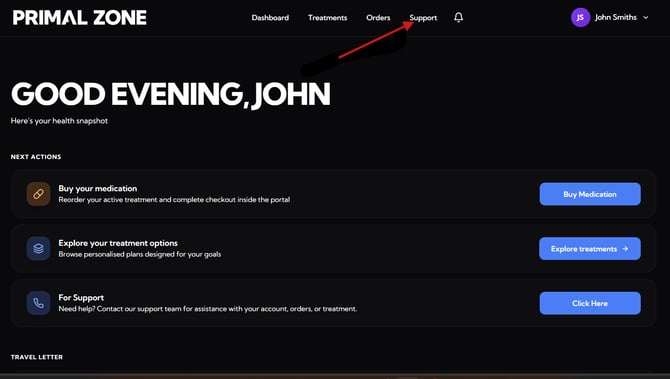
👉 Click the “Support” button at the top of your patient portal
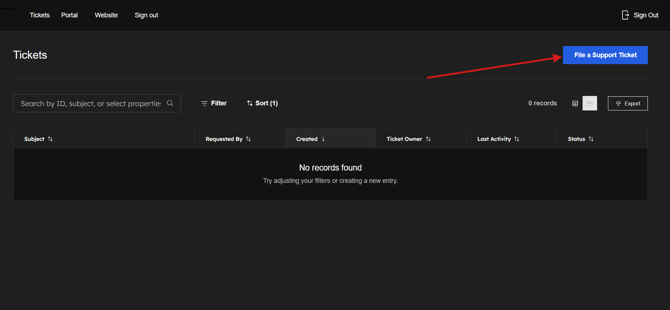
- You will be redirected to the Tickets page
- Click “File a Support Ticket” to contact the team
- Please add a screenshot of the whole page where you encounter the issue. (This would help as identify and fix the problem efficiently)
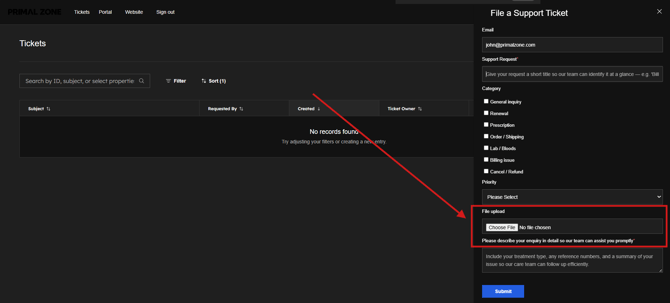
Our team will assist you as soon as possible.