
Before You Sign In
In March 2026, Primal Zone launched a new Patient Portal to provide a better experience for managing your treatment, prescriptions, orders, and support requests.
New Primal Zone Patient Portal
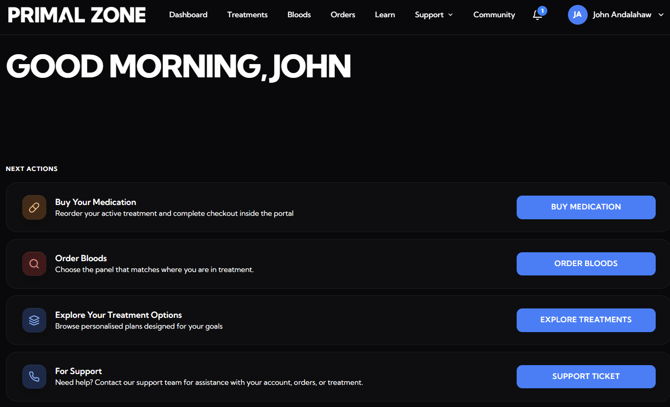
If you're an existing Primal Zone patient, simply visit PrimalZone.com and click Login in the top-right corner.
The system will automatically determine whether you've already accessed the new Patient Portal:
- If this is your first time using the new Patient Portal, you'll receive a registration email from Ignite@primalzone.com inviting you to create your account. To look for the registration email, simply search Ignite@primalzone.com in your inbox search tab.
- If you've already registered, you'll be taken to the sign-in page where you can enter your email address and password to access your account.
Once you've successfully signed in, you'll be able to continue managing your treatment through the new Patient Portal.
How to Sign In
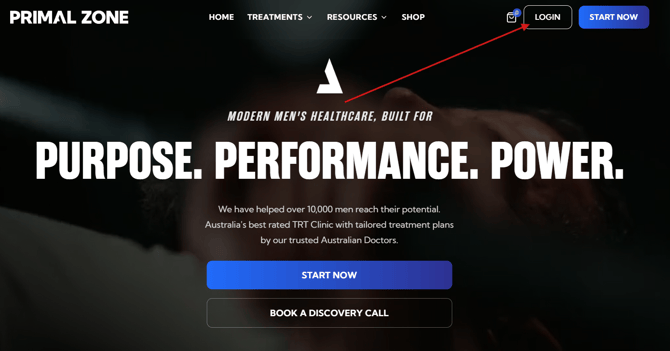
- Go to PrimalZone.com
- Click “Login” in the top right-hand corner
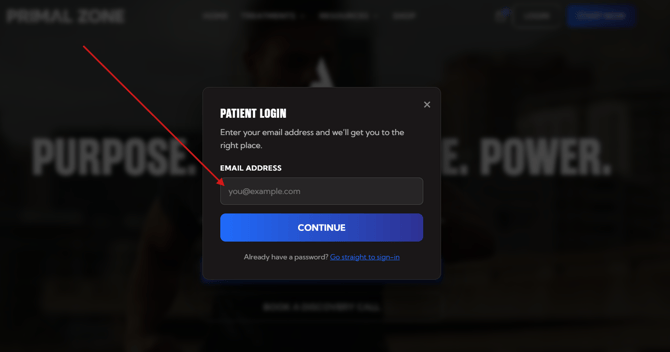
- Enter the email address you used with Primal Zone
- Click “Continue”
Forgot Your Password?
This option only works if you've already registered for the new Primal Zone Patient Portal (launched in March 2026).
If this is your first time accessing the new Patient Portal, you won't receive a password reset email because your account hasn't been registered yet.
Please refer to the "Before You Sign In" section above to complete your account registration first.
If you've already registered in the new Patient Portal and can't remember your password, follow these steps:
- Go to PrimalZone.com
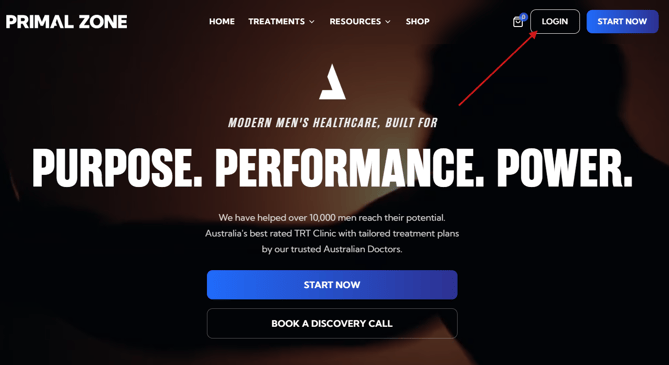
- Click "Login" in the top right-hand corner.
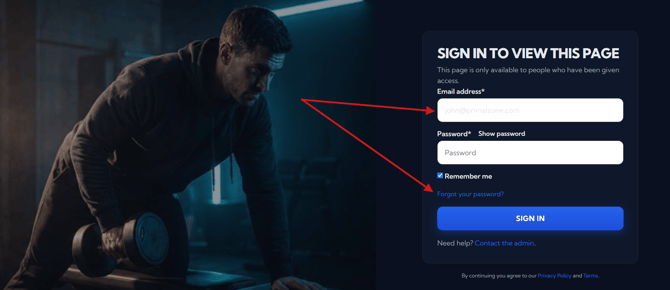
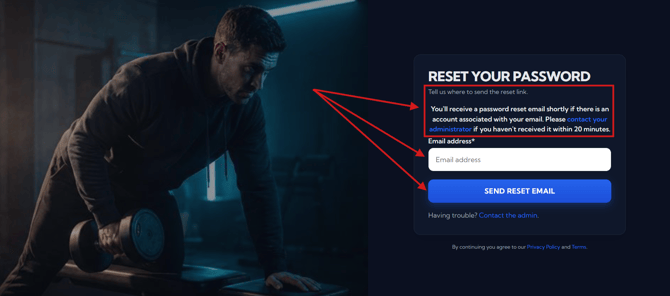
- Click “Forgot your password?” on the Sign-in screen
- Check your email for a message with the subject:
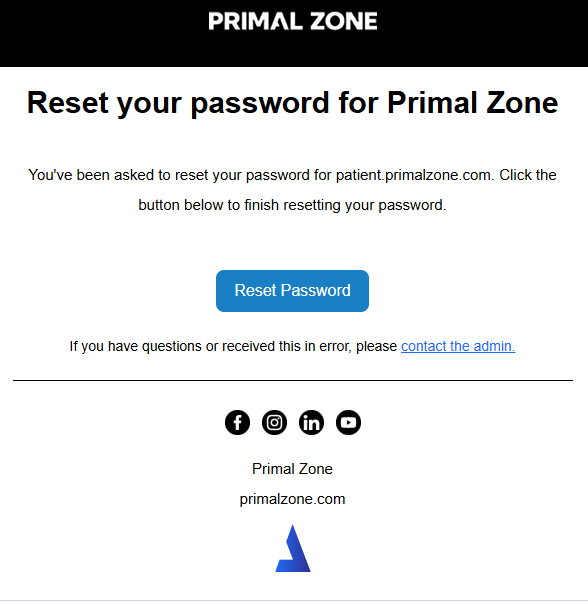
“Password reset email” from Ignite@primalzone.com - Or search Ignite@primalzone.com in your inbox search tab (This is the fastest way!)
👉 If you can’t find it:
- Check your spam/junk/other folders
Reset Your Password
- Click “Reset Password” in the email
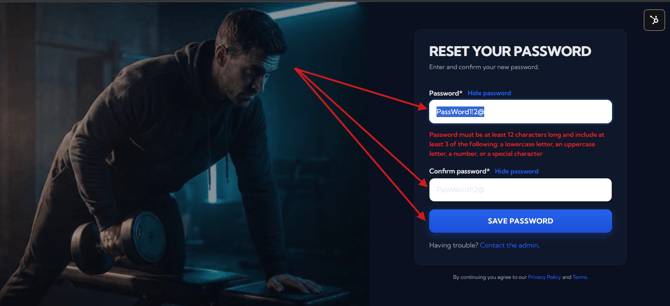
- Create a new password with:
- At least 12 characters, and
- At least 3 of the following:
- Lowercase letter
- Uppercase letter
- Number
- Special character
👉 Example: PassWord1!2@
- Click “Save Password”
Still having troubles?
If you're still unable to sign in after following the steps above, please try the following before contacting our support team:
- Try a different web browser, such as Google Chrome, Microsoft Edge, Safari, or Firefox.
- Try a different device, such as another computer, laptop, tablet, or your mobile phone.
- Clear your browser's cache and cookies, then close and reopen your browser before trying again.
- If you're using a work or company-managed device, try using a personal device instead, as some company security settings or browser policies can prevent the portal from functioning correctly.
If you've tried all of the above and you're still experiencing issues, please contact our Support Team and include:
- A screenshot (or short screen recording) of the issue.
- The browser and device you're using.
- A brief description of what happens after you click Sign In.
This information will help our technical team identify the cause and resolve the issue as quickly as possible.
What Happens Next
Once you've successfully reset your password, you'll be redirected to your Primal Zone Patient Portal, where you can securely manage your treatment and access all available features.
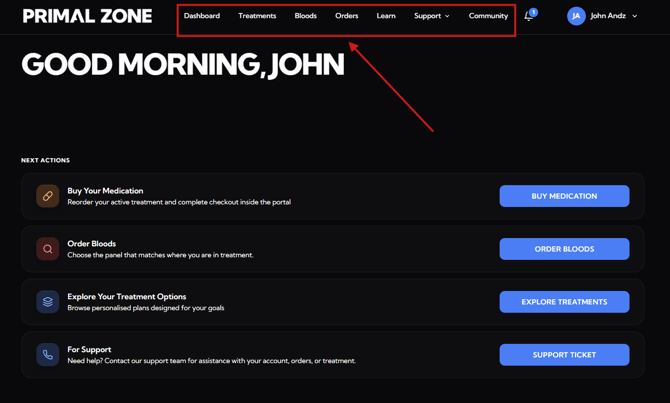
From the navigation menu, you can:
- Dashboard – View your treatment overview and important updates.
- Treatments – Continue your treatment application, complete renewals, and manage your treatment plans.
- Bloods – View your blood test history.
- Orders – Purchase your prescription, view your protocols and previous orders.
- Learn – Access educational resources and information about your treatment.
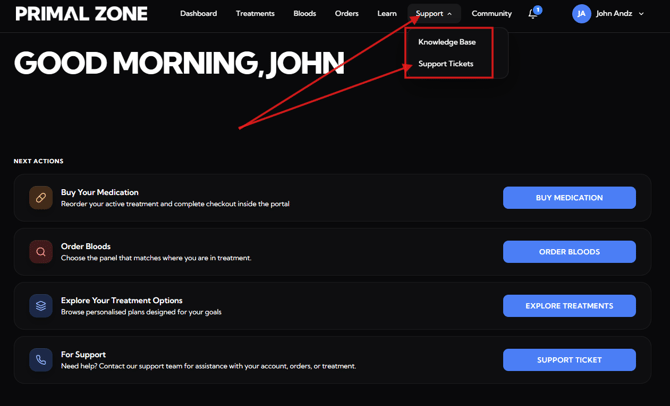
- Support – View knowledgebase articles or create a support ticket for your concerns.
- Knowledgebase
- Support ticket
- Community – Connect with other Primal Zone patients, share your journey, and celebrate your progress together.
Still need help?
If you're still having issues:
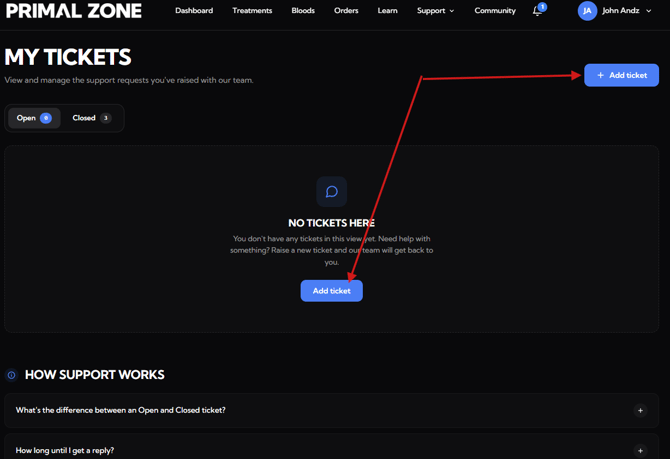
👉 Click “Support” then "Support Tickets" tab at the top of the portal
- You will be redirected to the Tickets page
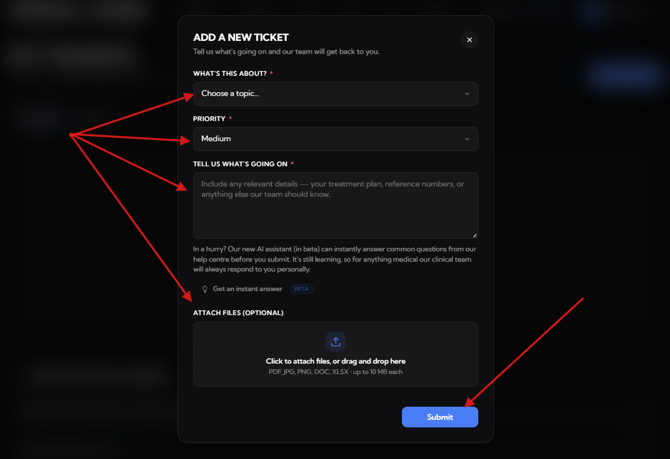
- Click “Add ticket” to contact the team
👉 Please include:
- A description of the issue
- A screenshot of the full page (to help us assist faster)
Our team will attend to your concern within 24 hours.