
If you're a new patient, the first step is to visit PrimalZone.com and click the "Start Now" button in the top-right corner of the page. You'll then be guided through a short eligibility quiz.
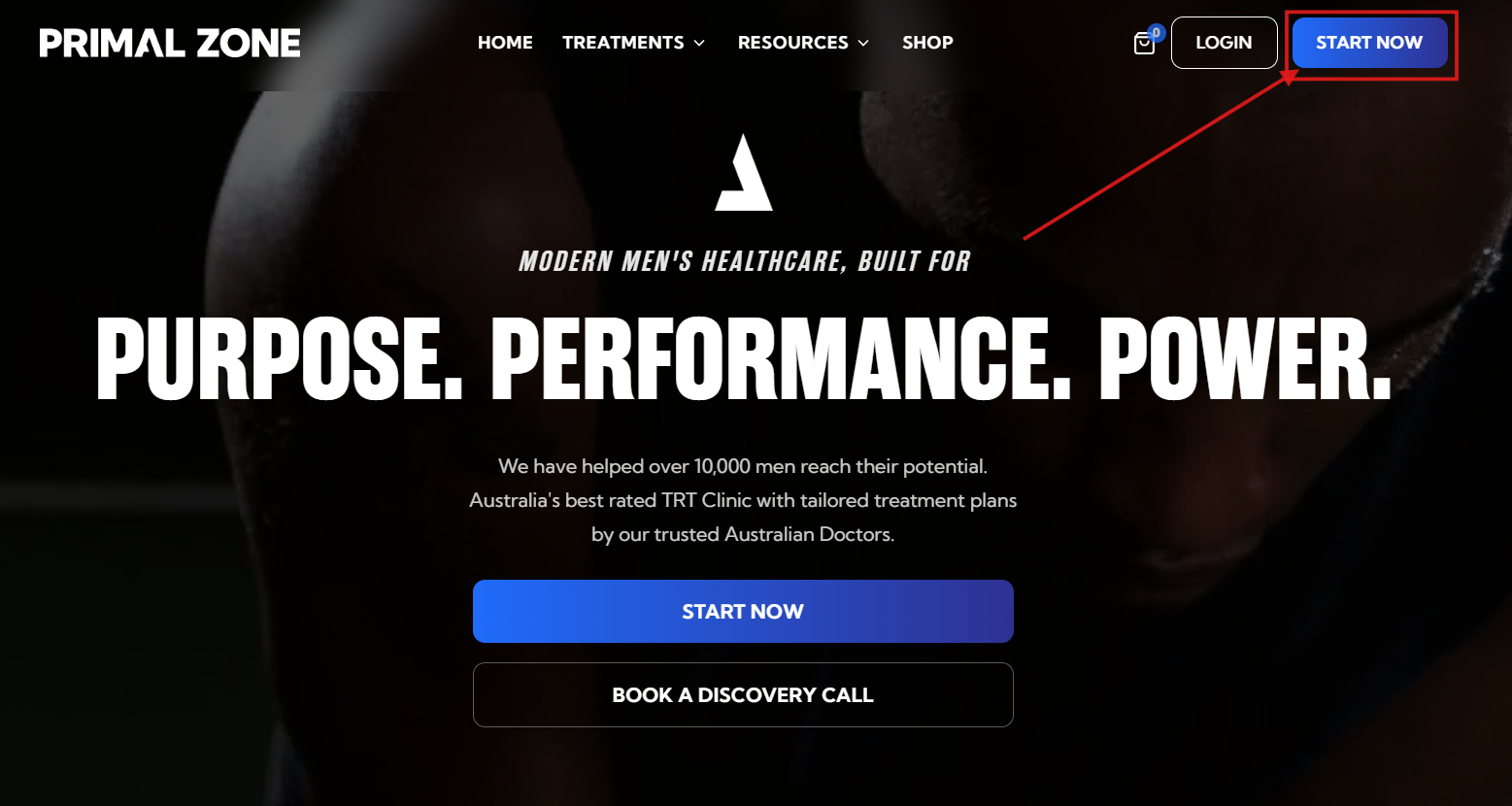
Once you've completed the quiz, you'll see a confirmation message advising that you may be eligible for treatment and outlining the next steps. You'll also receive a registration email inviting you to create your Patient Portal account, where you can continue with your application.
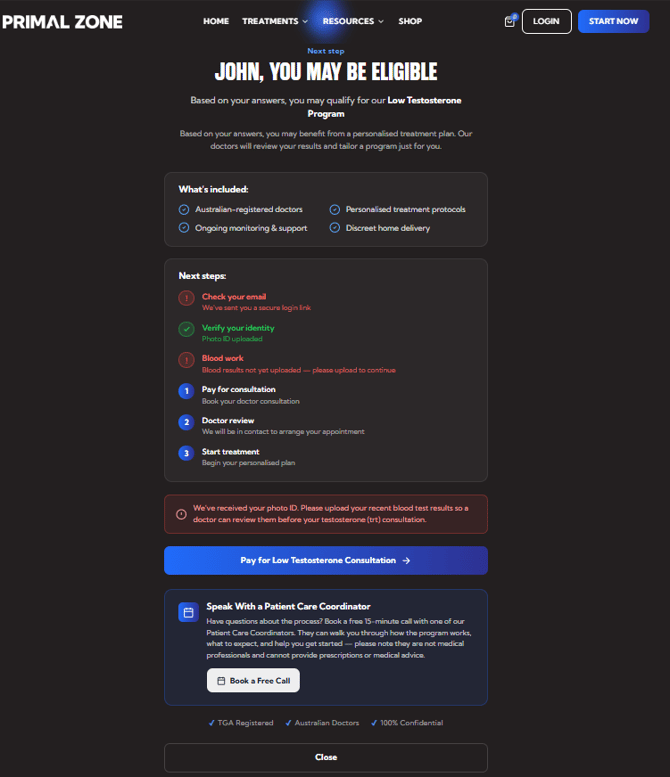
Next Steps
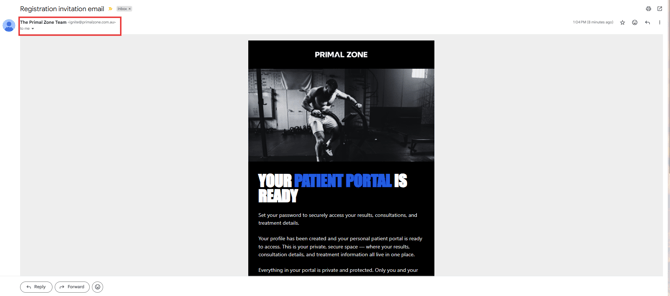
- Check your email for setting up your Patient Portal. The subject line is "Registration invitation email"
- If you can't find the registration email, search "ignite@primalzone.com" in your inbox search tab (this is the fastest way).
- Also, you can check your Spam, Junk, or Other folders.
Create Your Patient Portal Password
-
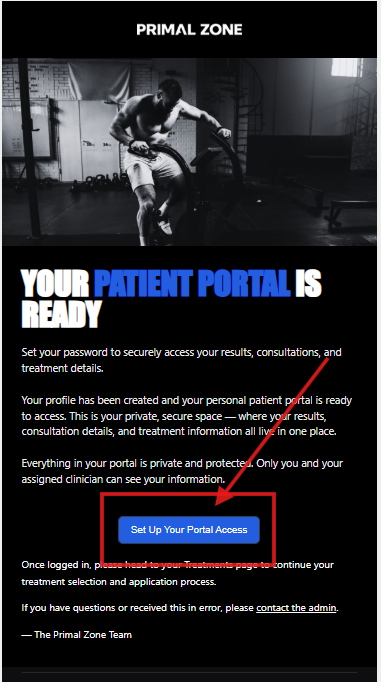
Open the registration email and click Set Up Your Portal.
-
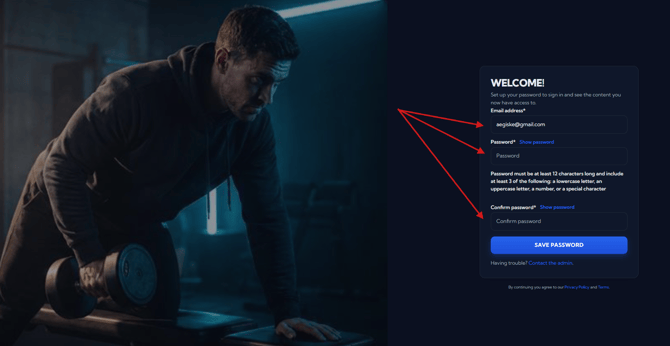
You'll be taken to the password setup page.
-
Create a password that contains:
- At least 12 characters
- At least 3 of the following:
- Lowercase letter
- Uppercase letter
- Number
- Special character
- Ex: PrimalZone123!@
-
After you confirm your password, click Save Password.
Access Your Patient Portal
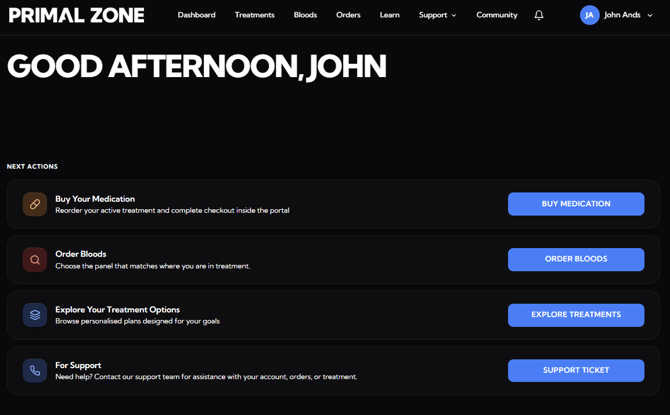
Once your password has been created successfully, you'll be taken directly to your Patient Portal.
What Happens Next
Once you've successfully reset your password, you'll be redirected to your Primal Zone Patient Portal, where you can securely manage your treatment and access all available features.
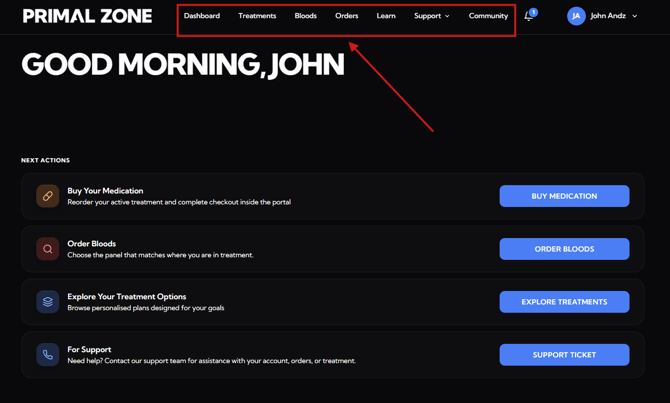
From the navigation menu, you can:
- Dashboard – View your treatment overview and important updates.
- Treatments – Continue your treatment application, complete renewals, and manage your treatment plans.
- Bloods – View your blood test history.
- Orders – Purchase your prescription, view your protocols and previous orders.
- Learn – Access educational resources and information about your treatment.
- Support – View knowledgebase articles or create a support ticket for your concerns.
- Knowledgebase
- Support ticket
- Community – Connect with other Primal Zone patients, share your journey, and celebrate your progress together.
Need further assistance?
If you're still having issues:
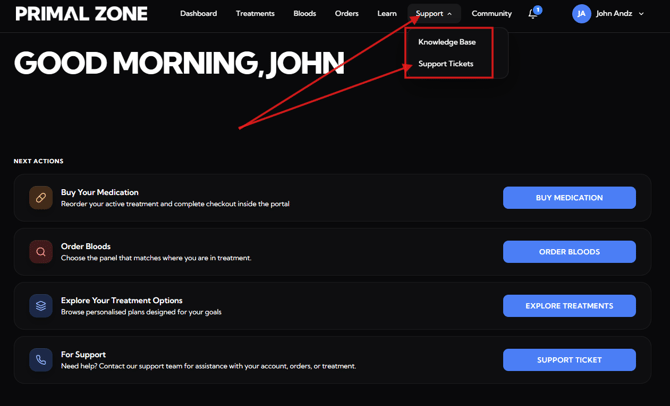
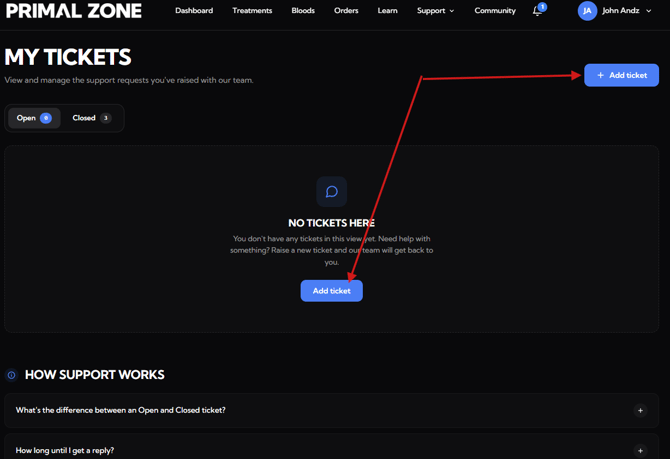
👉 Click “Support” then "Support Tickets" tab at the top of the portal
- You will be redirected to the Tickets page
- Click “Add ticket” to contact the team
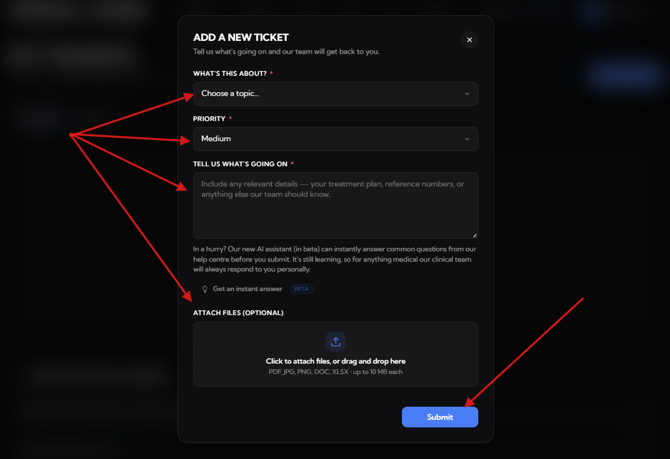
👉 Please include:
- A description of the issue
- A screenshot of the full page (to help us assist faster)
Our team will attend to your concern within 24 hours.