
Step 1 — Log in to Your Patient Portal
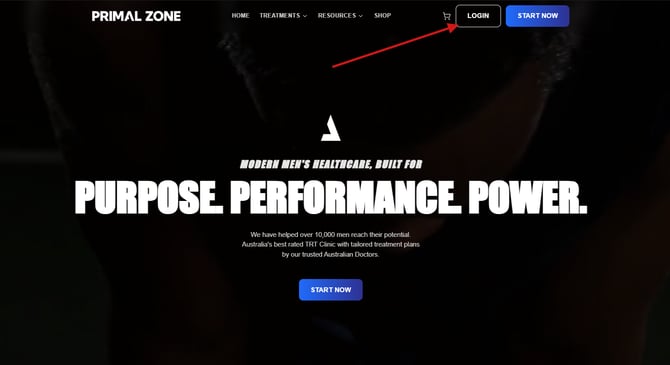
Go to https://primalzone.com and click “Login” in the top right corner of the screen.
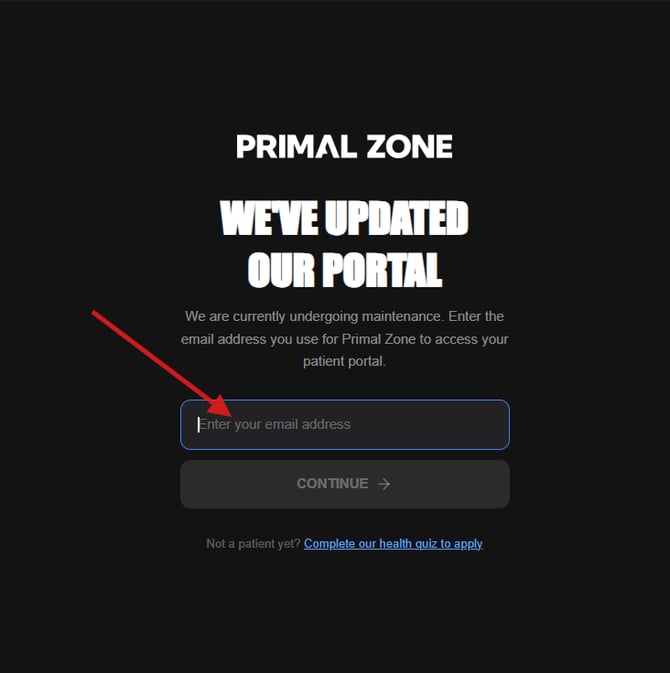
You will be redirected to the portal login page where it says “We’ve updated our portal.”
Enter your email address and click Continue to access your patient portal.
Step 2 — Access Your Orders
Once logged in, you will land on your dashboard.
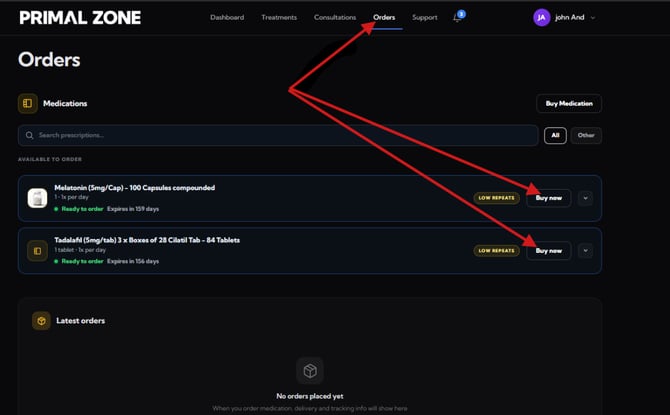
Click on the “Orders” tab in the top navigation menu.
Under your available medications, click “Buy now” on the item you wish to purchase.
Step 3 — Enter Your Discount Code
On the checkout page:
- Locate the “Enter promo code” field on the right-hand side
- Enter your discount code
- Click “Apply”
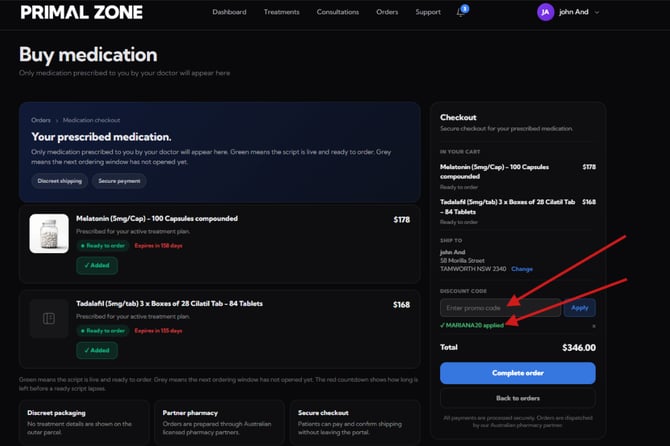
You will see confirmation that the code has been applied.
Note: The exact discount amount may not fully reflect on this page yet.
Step 4 — Review Discount on Payment Page
Proceed to the next step (Complete order).
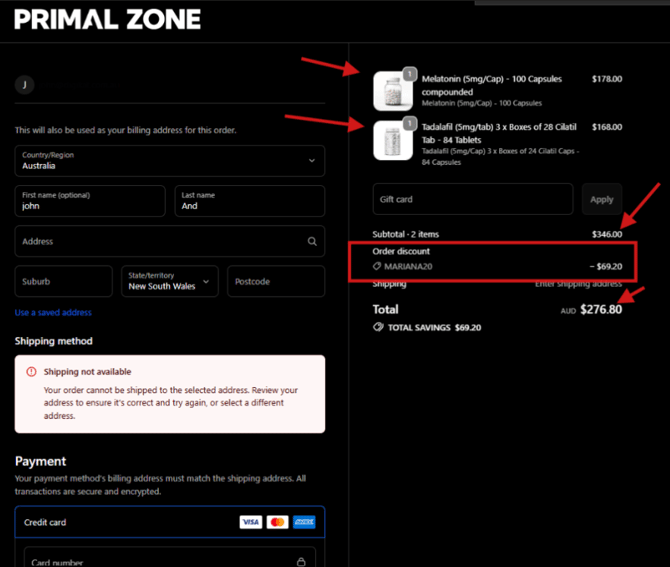
On the payment page, you will see:
- Your selected medications
- The original price
- The discount applied (Order discount)
- The updated total amount
Need Help?
If you experience any issues applying your discount code:
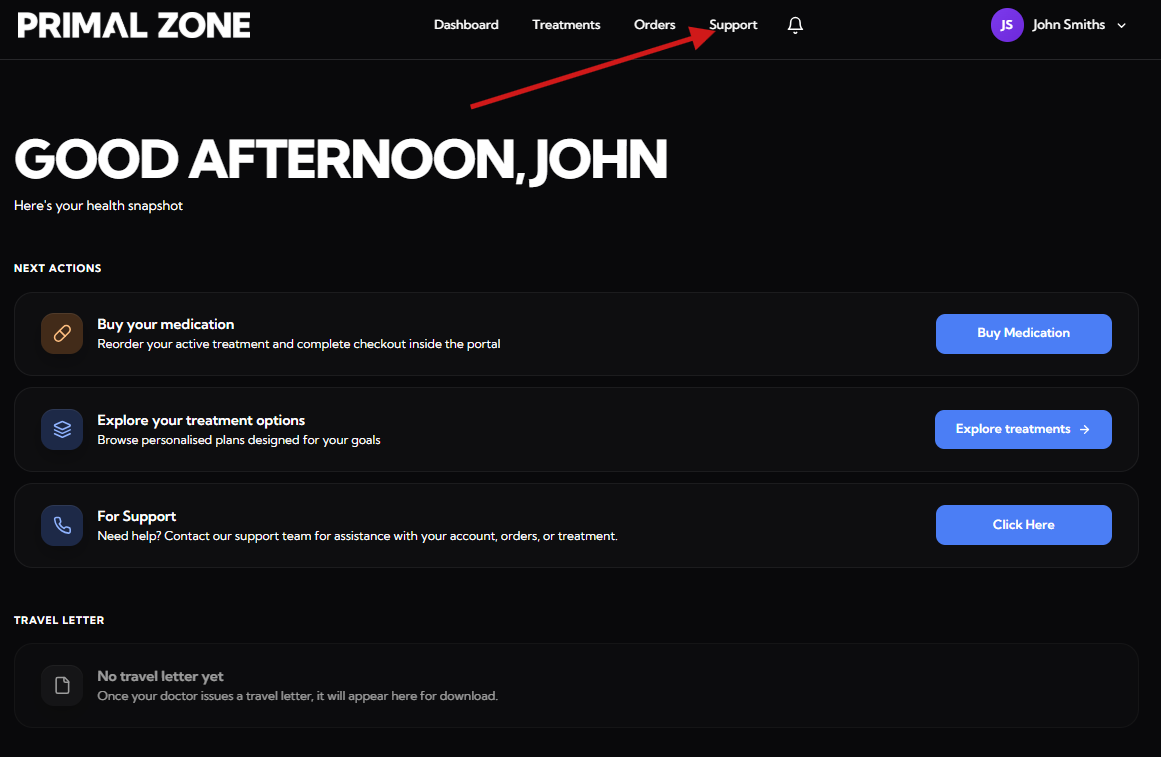
- Click the “Support” tab at the top of the portal
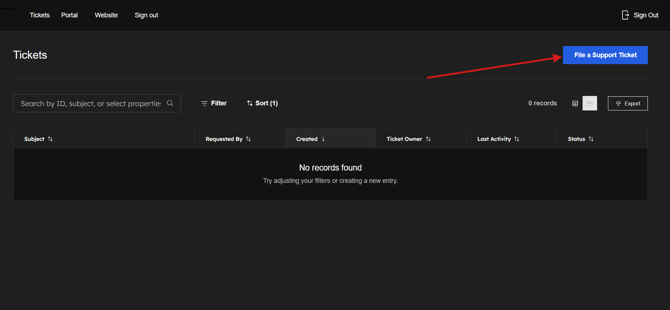
- You will be redirected to the Tickets page
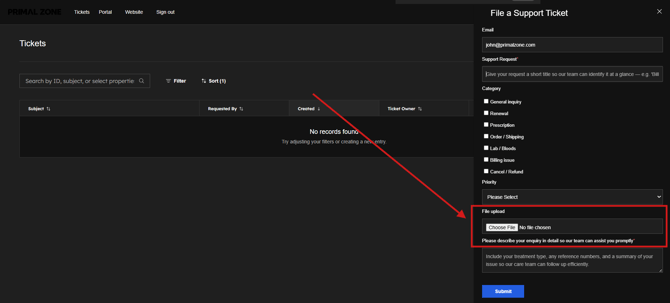
- Click “File a Support Ticket” to contact the team
- Please add a screenshot of the whole page where you encounter the issue. (This would help as identify and fix the problem efficiently)
Our team will assist you as soon as possible.