
Step 1: Log in to Your Patient Portal
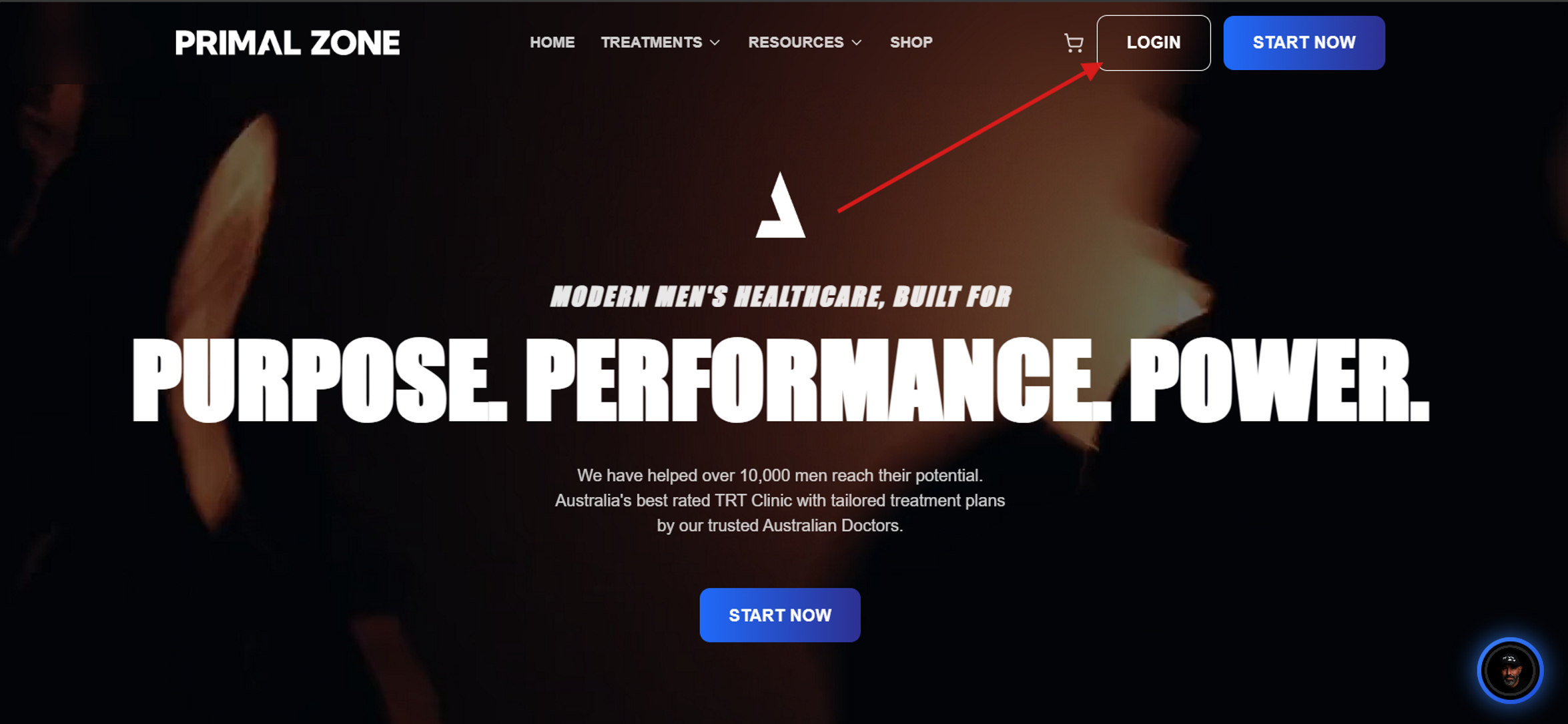
Go to PrimalZone.com.au
Click Login in the top right-hand corner and sign in to your account.
Step 2: Go to Your Profile
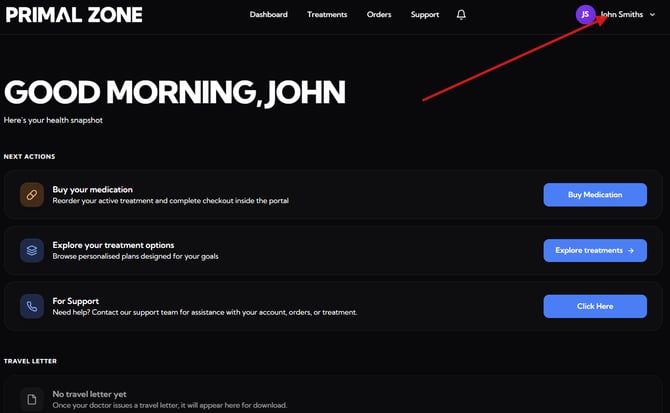
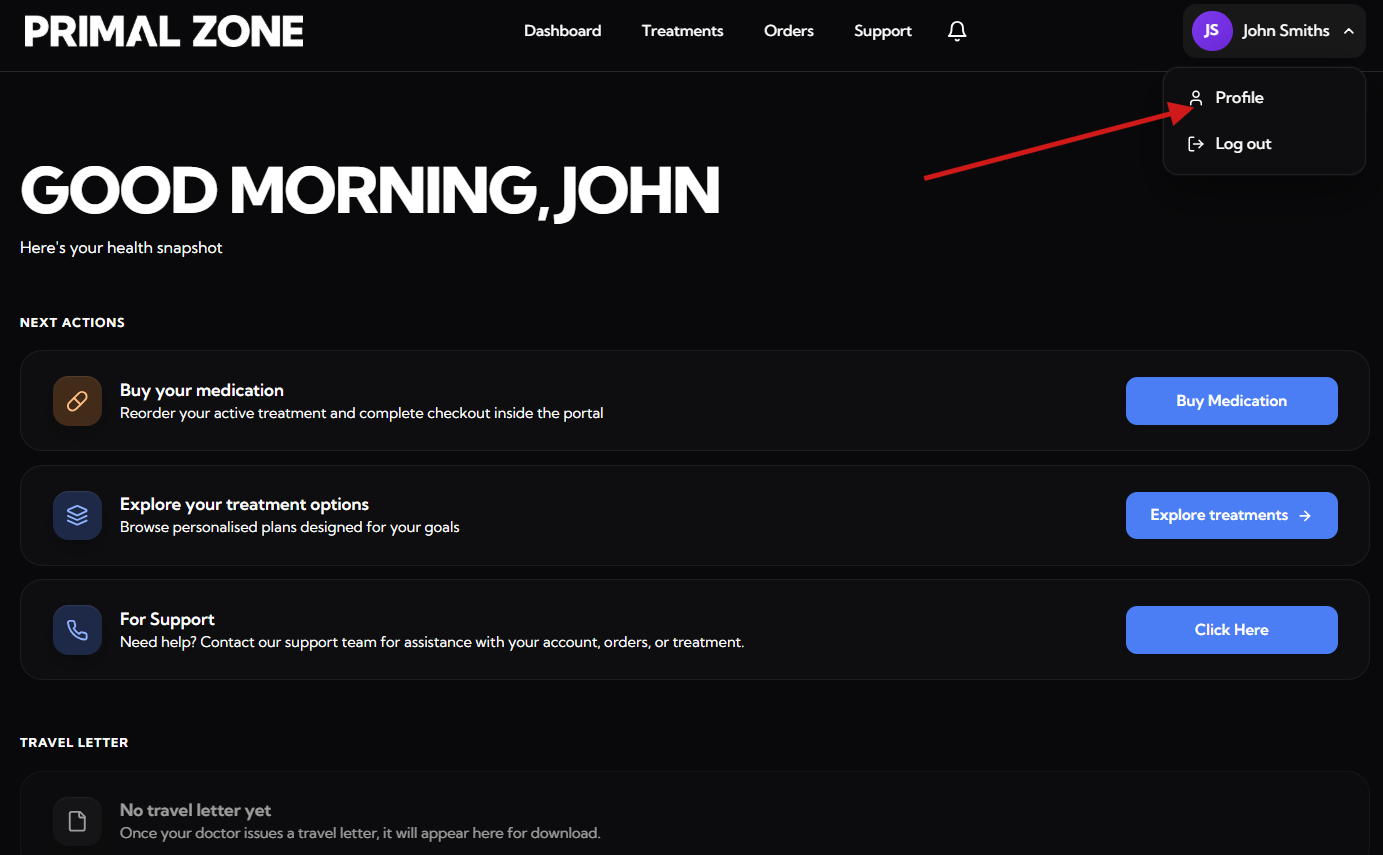
- Once logged in, click your name in the top right corner
- Select “Profile” from the dropdown
Step 3: Add Your Shipping Address
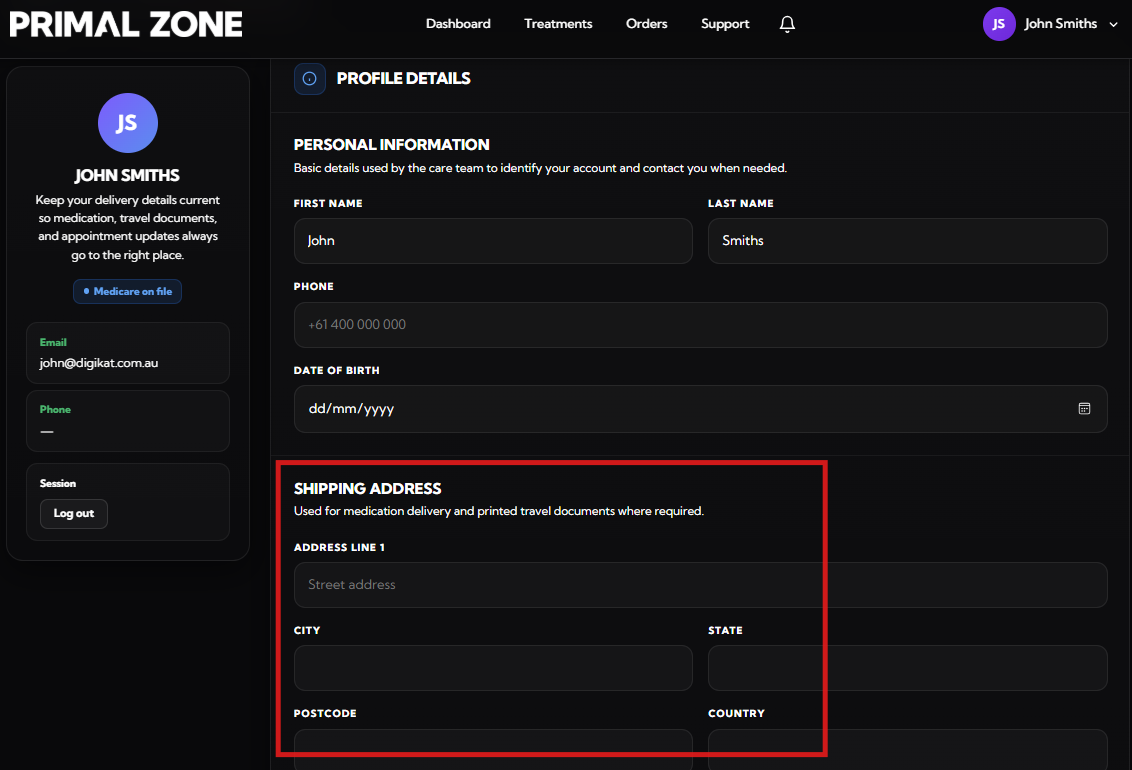
- Scroll to the Shipping Address section
- Enter your address details, including:
- Street address
- City
- State
- Postcode
- Country
Make sure all details are correct before saving.
Need help?
If you're having trouble updating your address:
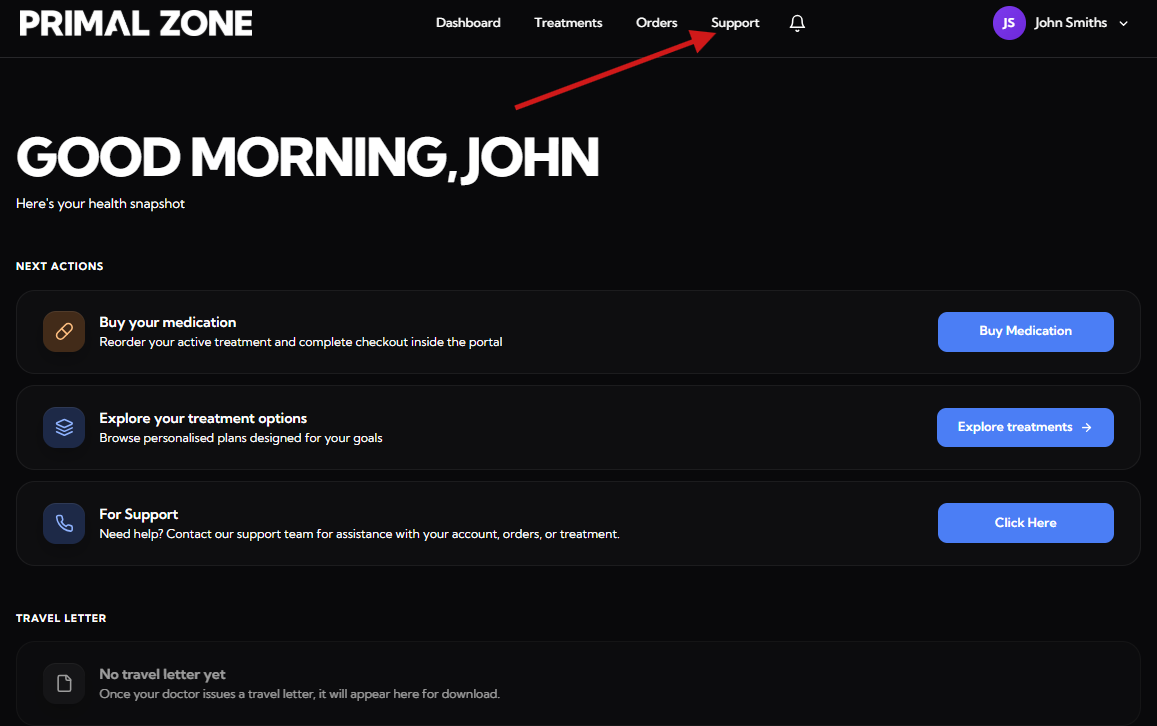
👉 Click the “Support” tab at the top of your patient portal
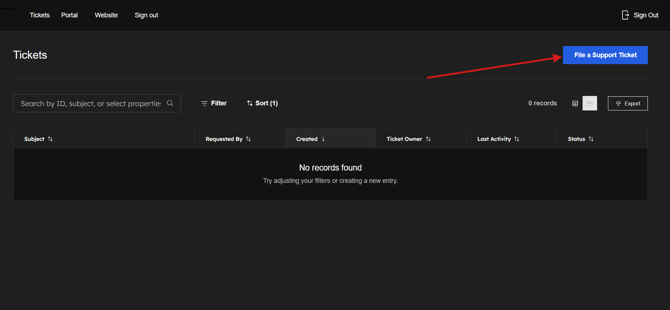
- You will be redirected to the Tickets page
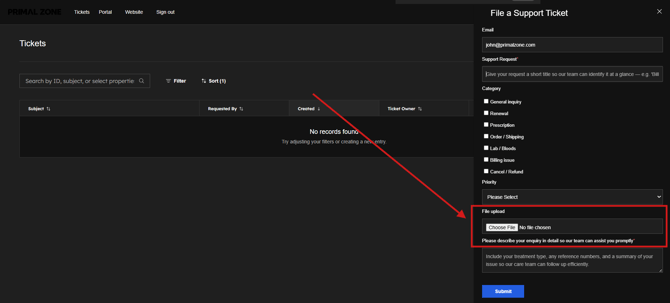
- Click “File a Support Ticket” to contact the team
👉 Please include:
- A brief description of the issue
- A screenshot of the page you are having issues with (if applicable)
Our team will assist you as soon as possible.