
Option 1: Upload During Your Health Quiz (New or Renewal)
When starting a new treatment or completing a renewal:
- You will be prompted during the health quiz
- Simply upload your blood test results when requested
- Ensure your file is clear and legible (PDF, PNG, or JPG)
Option 2: Upload via Your Dashboard
If you need to upload your results after completing the quiz:
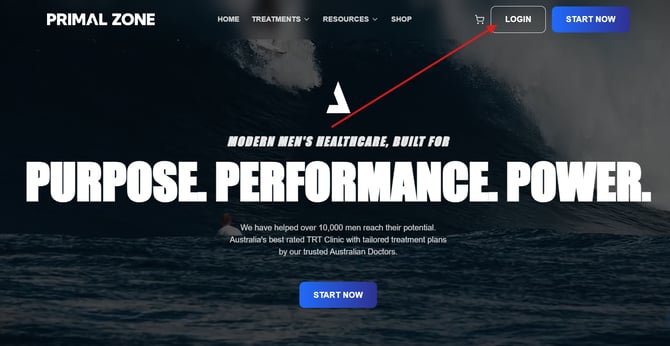
- Log in to your Patient Portal
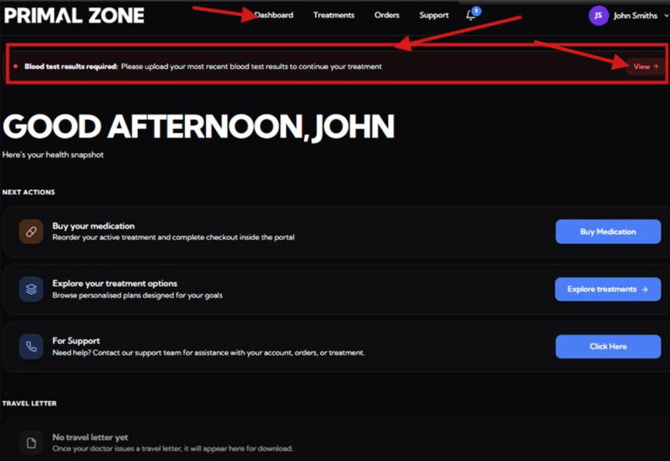
- Go to your Dashboard
-
Look for the notification banner:
“Blood test results required: Please upload your most recent blood test results to continue your treatment”
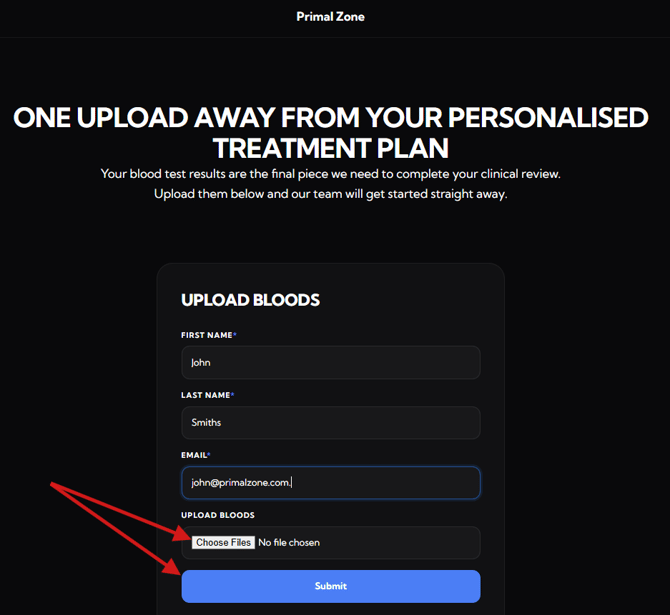
- Click “View”
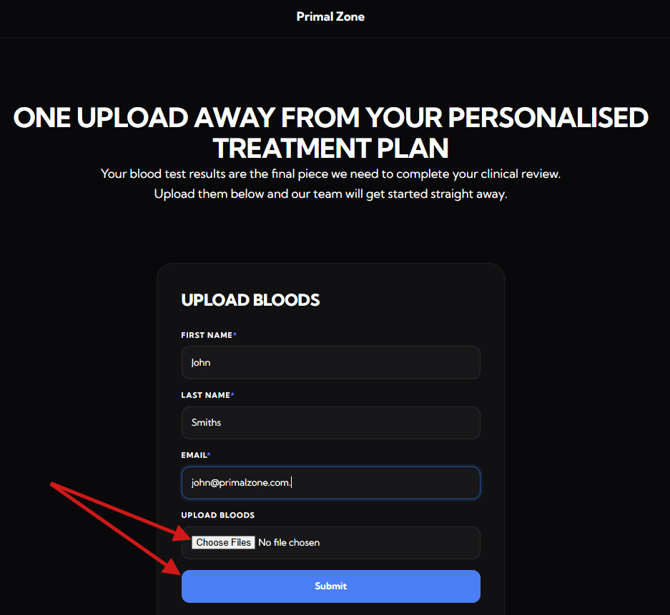
- Upload your blood test results
Note: The blood test needs to be taken fasted and before 9:00 AM for accurate results.
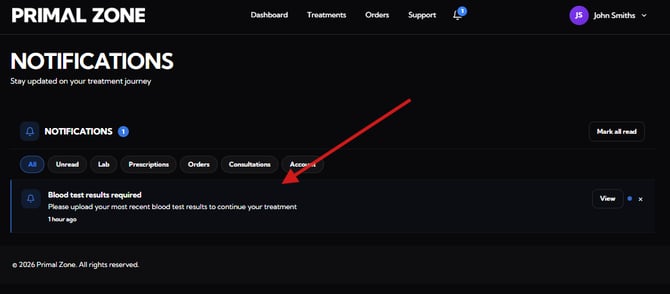
Option 3: Upload via Notifications
You can also upload your results through your notifications:
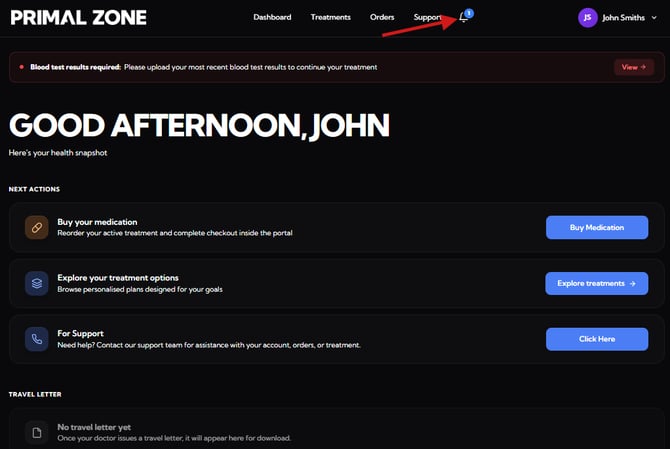
- Click the notification bell icon in the top menu
-
Open the notification titled:
“Blood test results required”
- Click “View” and upload your file
What Happens Next?
Once your blood test results are submitted:
- Our clinical team will review your results
- This is used to assess your treatment suitability or renewal
- You will be contacted with the next steps
Need help?
If you're having trouble, you can reach out to our support team.
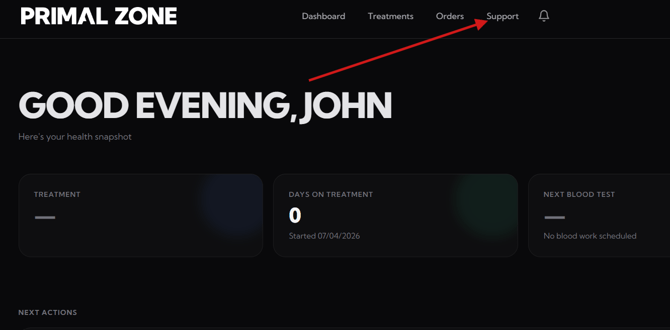
- Click the “Support” tab at the top of the portal
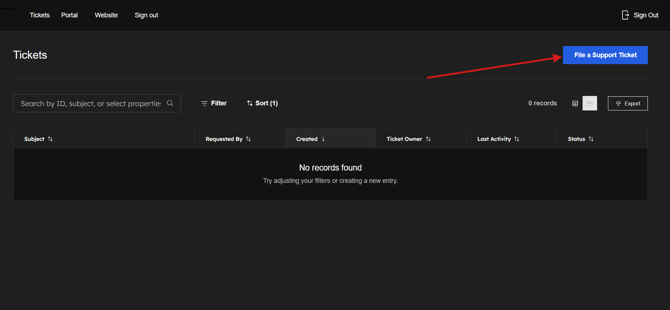
- You will be redirected to the Tickets page
- Click “File a Support Ticket” to contact the team
- Please add a screenshot of the whole page where you encounter the issue. (This would help as identify and fix the problem efficiently)
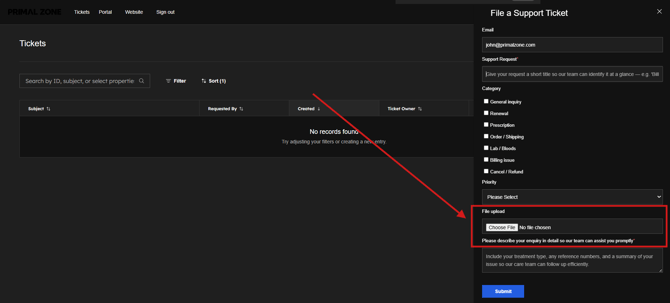
Our team will assist you as soon as possible.