
Where Can I Find My Travel Letter?
Once your travel letter has been issued:
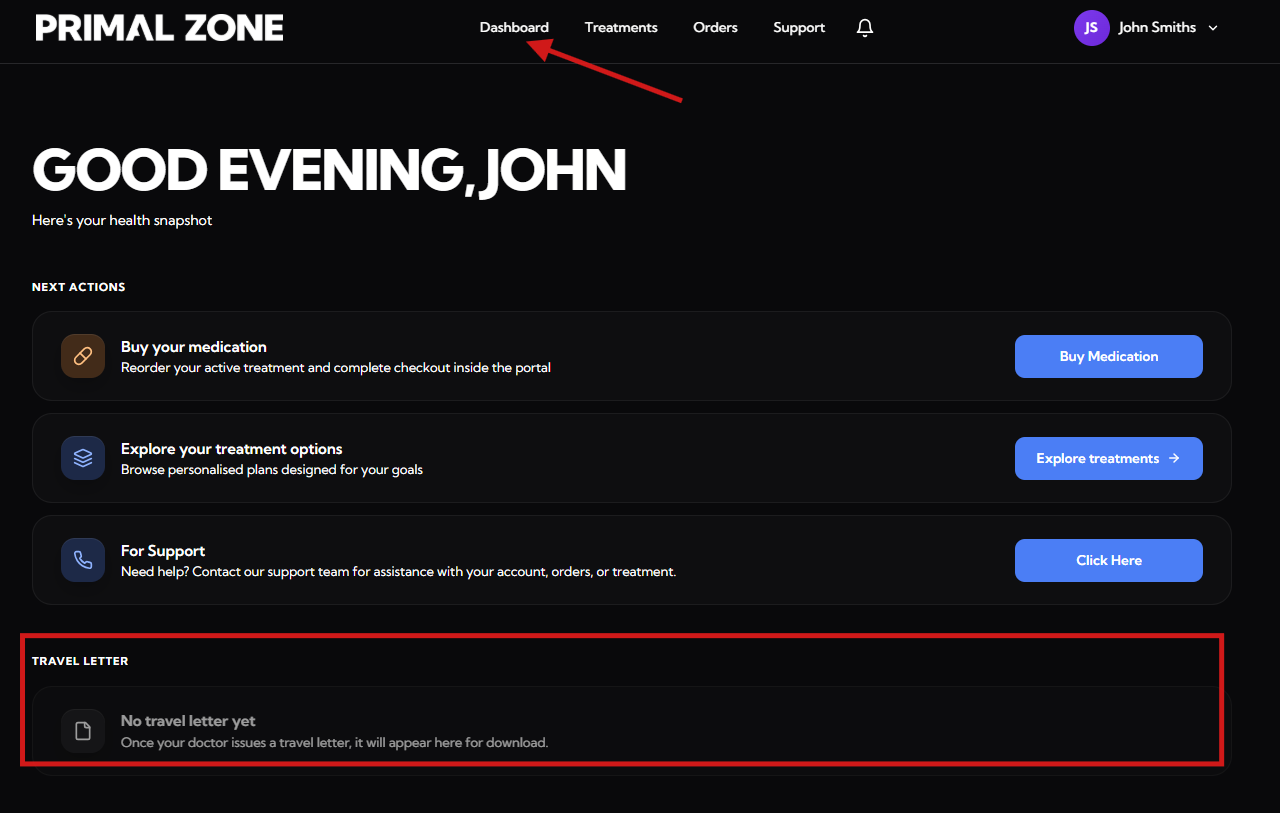
- Log in to your patient portal
- Go to your Dashboard
👉 Your travel letter will appear in the “Travel Letter” section, where you can download it directly.
What If My Travel Letter Is Not Showing?
If you cannot see your travel letter in your dashboard:
Please contact our team for assistance:
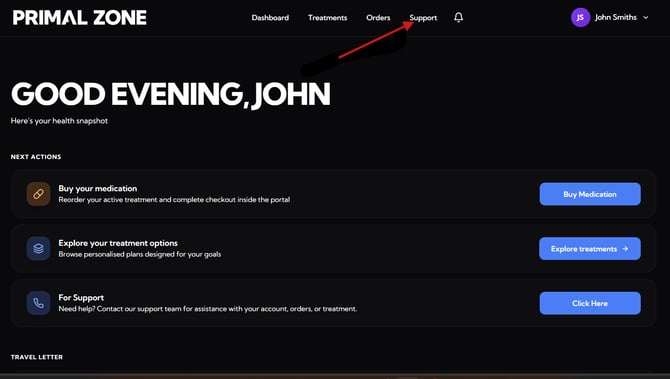
👉 Click the “Support” button at the top of your patient portal
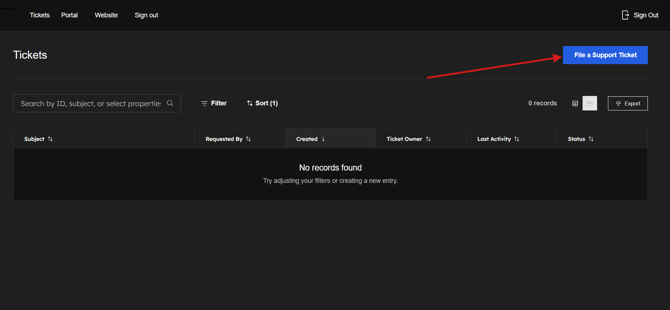
- You will be redirected to the Tickets page
- Click “File a Support Ticket” to contact the team
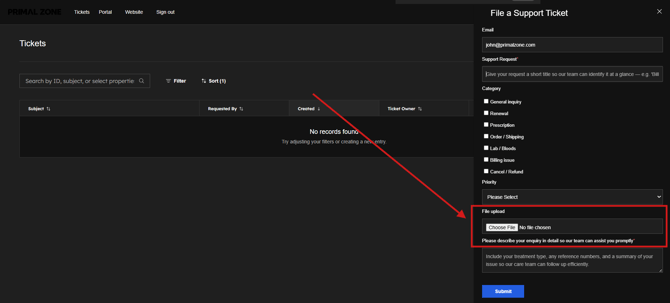
👉 Please include:
- Details of your request
- A screenshot of your dashboard page (this helps us assist you faster)
What Happens Next?
Our team will review your request and assist you as soon as possible.