
Step 1: Log in to Your Patient Portal
Go to PrimalZone.com and click Login in the top right-hand corner.

Step 2: Go to Your Treatments Page
Once logged in:
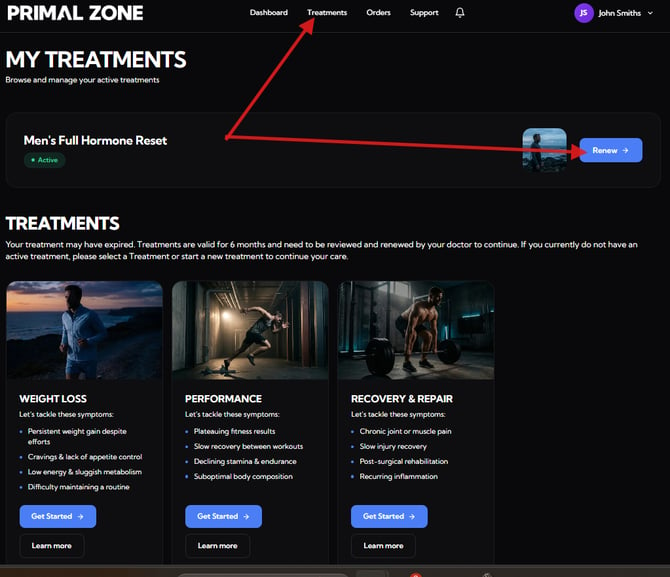
- Click “Treatments” in the top navigation
- Locate your active treatment (e.g. Men’s Full Hormone Reset)
You will see:
- “Renew” → if your treatment is ready for renewal
Step 3: Complete the Form
You will be guided through a short questionnaire and asked to answer a few questions about your treatment.
Step 4: Submit and Payment
Once completed:
- You will see a confirmation message
- You will be redirected to the payment page to finalise your renewal
Step 5: What Happens Next
After payment:
- Your renewal will be submitted for clinical review
- You'll get an update from our team within 2-3 business days
Important Note
If your previous prescription is:
- Expired, or
- Fully dispensed (no repeats left)
👉 A renewal is required before you can reorder.
Need help?
If you're having trouble:
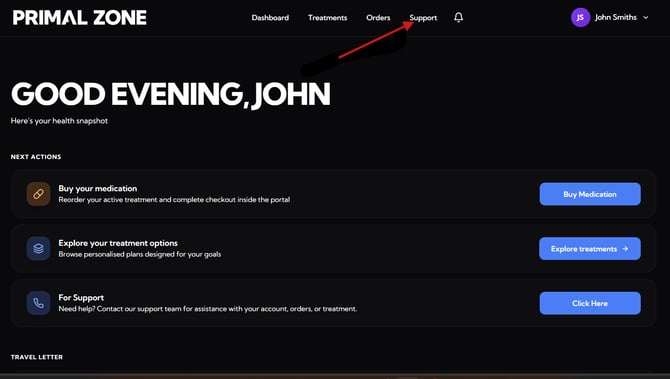
👉 Click the “Support” tab at the top of your portal
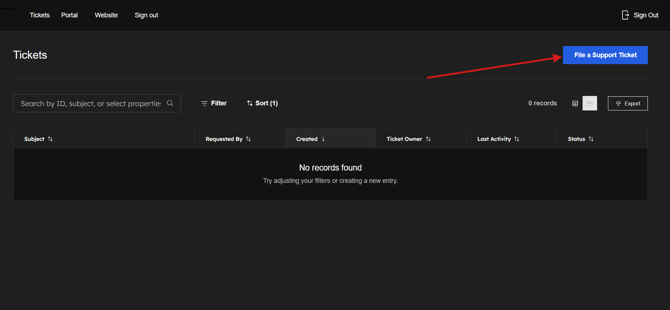
- You will be redirected to the Tickets page
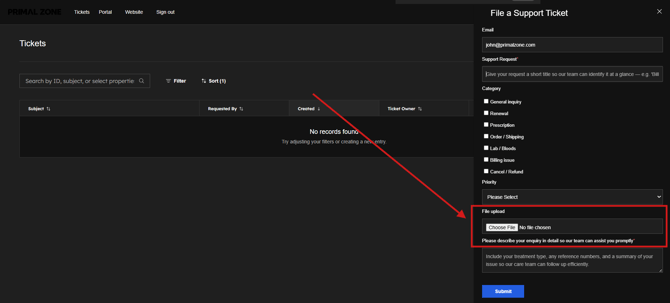
- Click “File a Support Ticket” to contact the team
- Provide a screenshot or image relevant to your concern
Our team will assist you as soon as possible.