
Step 1: Log in to Your Patient Portal
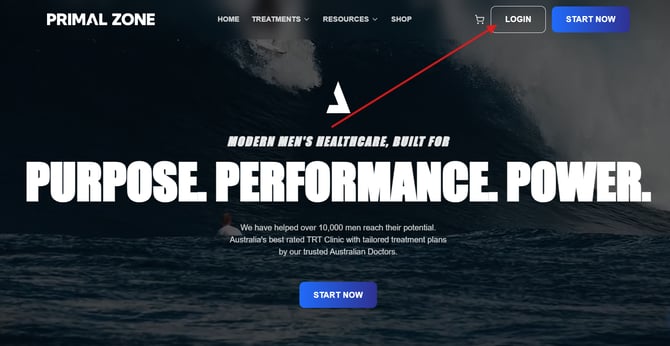
Go to PrimalZone.com and click Login in the top right-hand corner of the screen.
Step 2: Go to Your Treatments Page
Once logged in:
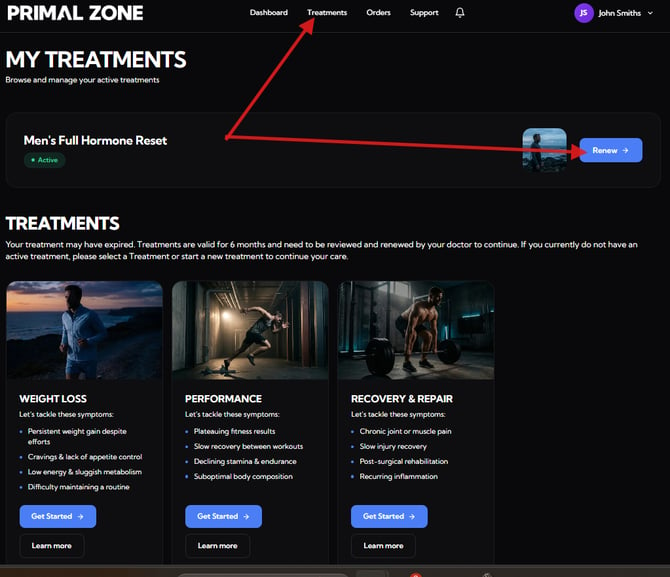
- Click “Treatments” in the top navigation
- Locate your active treatment (e.g. Men’s Full Hormone Reset)
You will see either:
- “Renew” → if your treatment is ready for renewal
- “Check-in” → if your treatment is still active (typically 30+ days before renewal)
Click the appropriate button to continue.
Step 3: Complete the Renewal / Check-in Form
You will be guided through a short questionnaire.
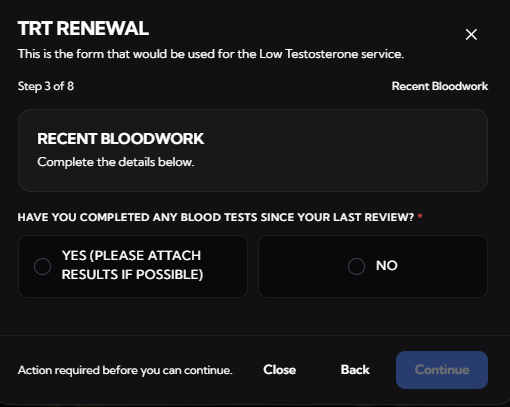
As part of this process, you will be asked:
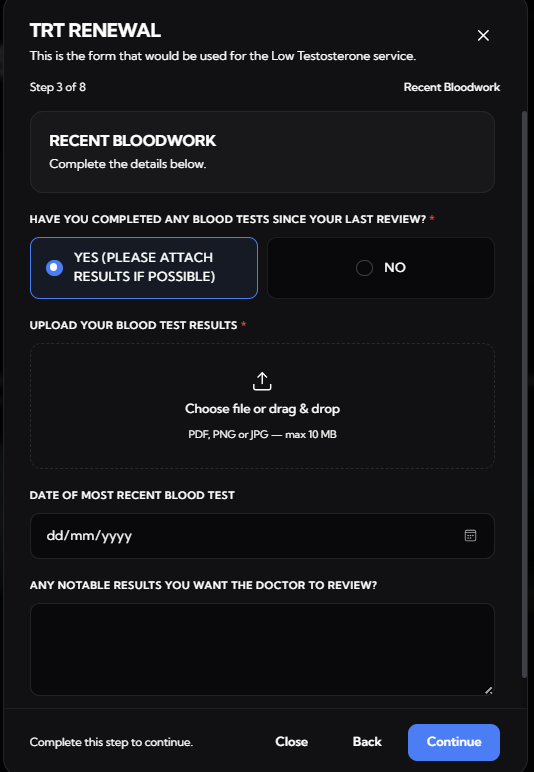
- If you have completed any blood tests since your last review
Step 4: If You Have NOT Completed Blood Tests
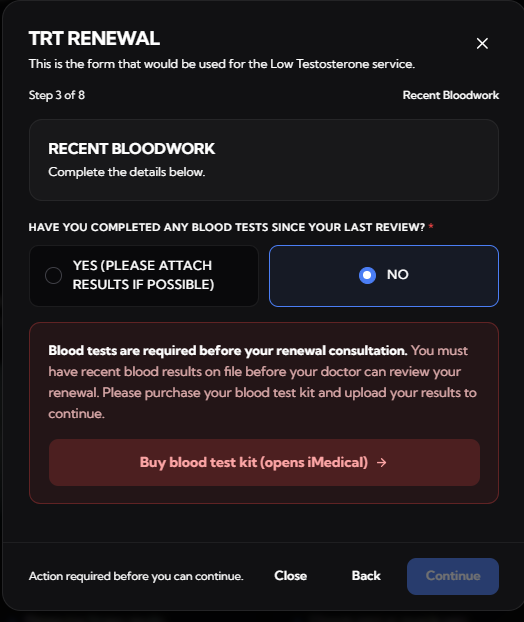
If you select No:
- You will be prompted to purchase a blood test kit
- Blood tests are required before your renewal consultation
- Follow the instructions provided to complete your test
Note: Please complete your blood test fasted and before 9:00 AM for accurate results.
Step 5: If You HAVE Completed Blood Tests
If you select Yes:
- Upload your blood test results
- Enter the date of your most recent blood test
- Add any relevant notes for the doctor if required
Step 6: Submit Your Renewal
Once you complete the form:
- You will see a confirmation message
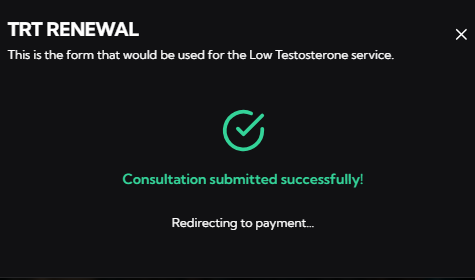
- You will then be redirected to the payment page to finalise your renewal
Step 7: After Payment
After completing your payment:
- Your renewal will be submitted for clinical review
- Our team will provide an update within 2–3 business days
Step 8: Upload Blood Test Results
If you have purchased a blood test and received your results afterward:
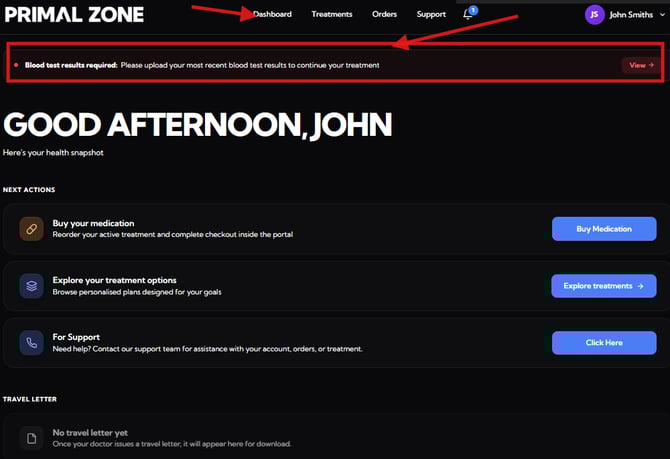
- Log in to your Dashboard
-
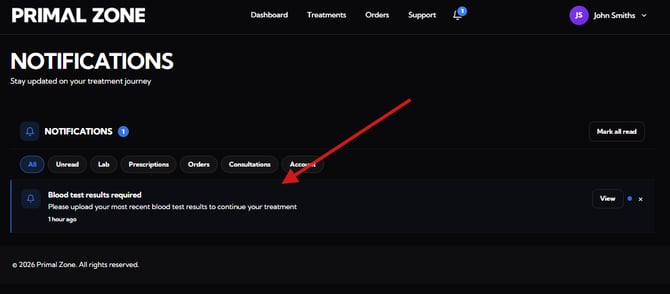
You will see a notification at the top:
“Blood test results required: Please upload your most recent blood test results to continue your treatment”
- Click “View” and upload your results
-
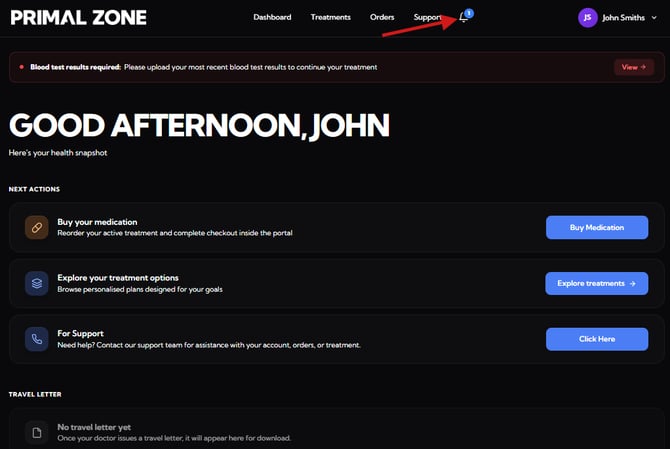
You can also access this via the Notifications section in your portal.
What Happens Next?
Once your blood test results are submitted, our clinical team will review them as part of your treatment assessment. You will be contacted in the next 2 - 3 business days with the next steps.
Need help?
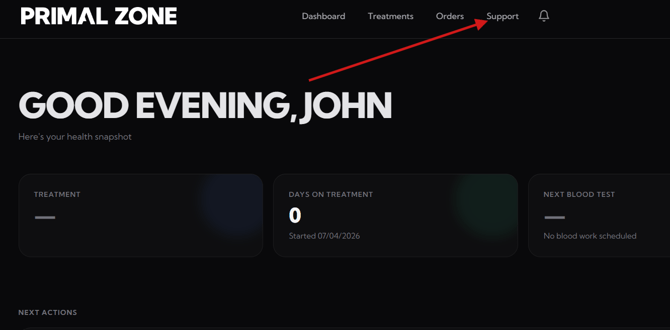
If you're having trouble, you can reach out to our support team.
- Click the “Support” tab at the top of the portal
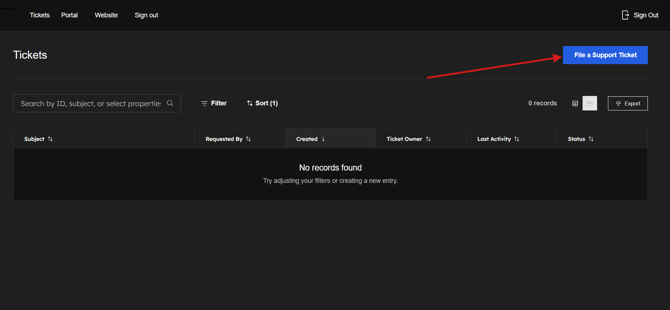
- You will be redirected to the Tickets page
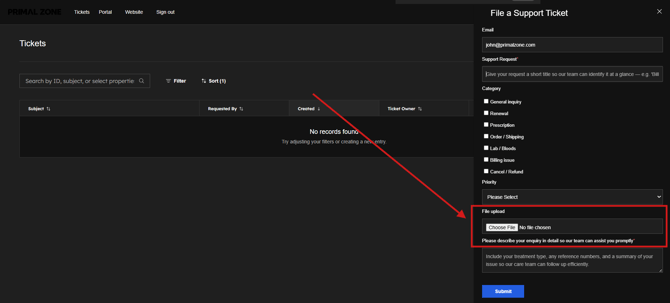
- Click “File a Support Ticket” to contact the team
- Please add a screenshot of the whole page where you encounter the issue. (This would help as identify and fix the problem efficiently)
Our team will assist you as soon as possible.