
How to Sign In
- Go to modernfemale.com.au
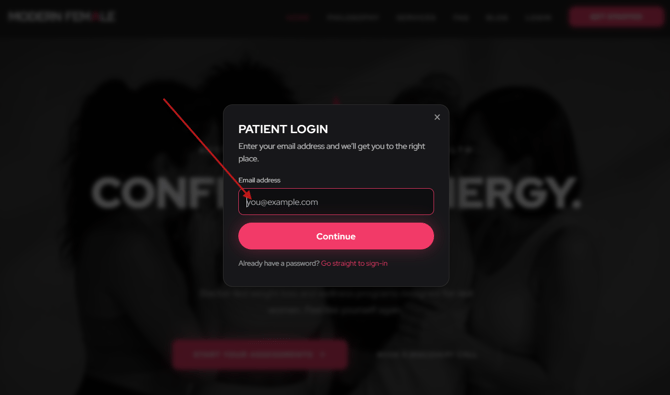
- Click Login in the top-right corner.

- Enter the email address you used with Modern Female.
- Click Continue.
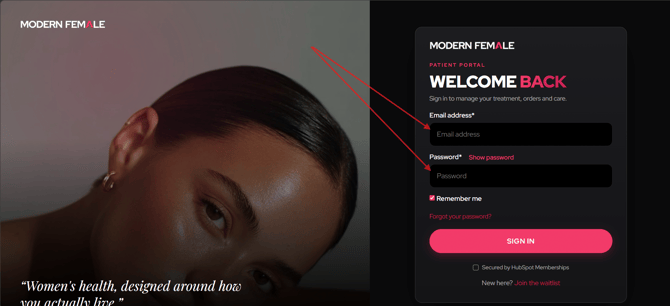
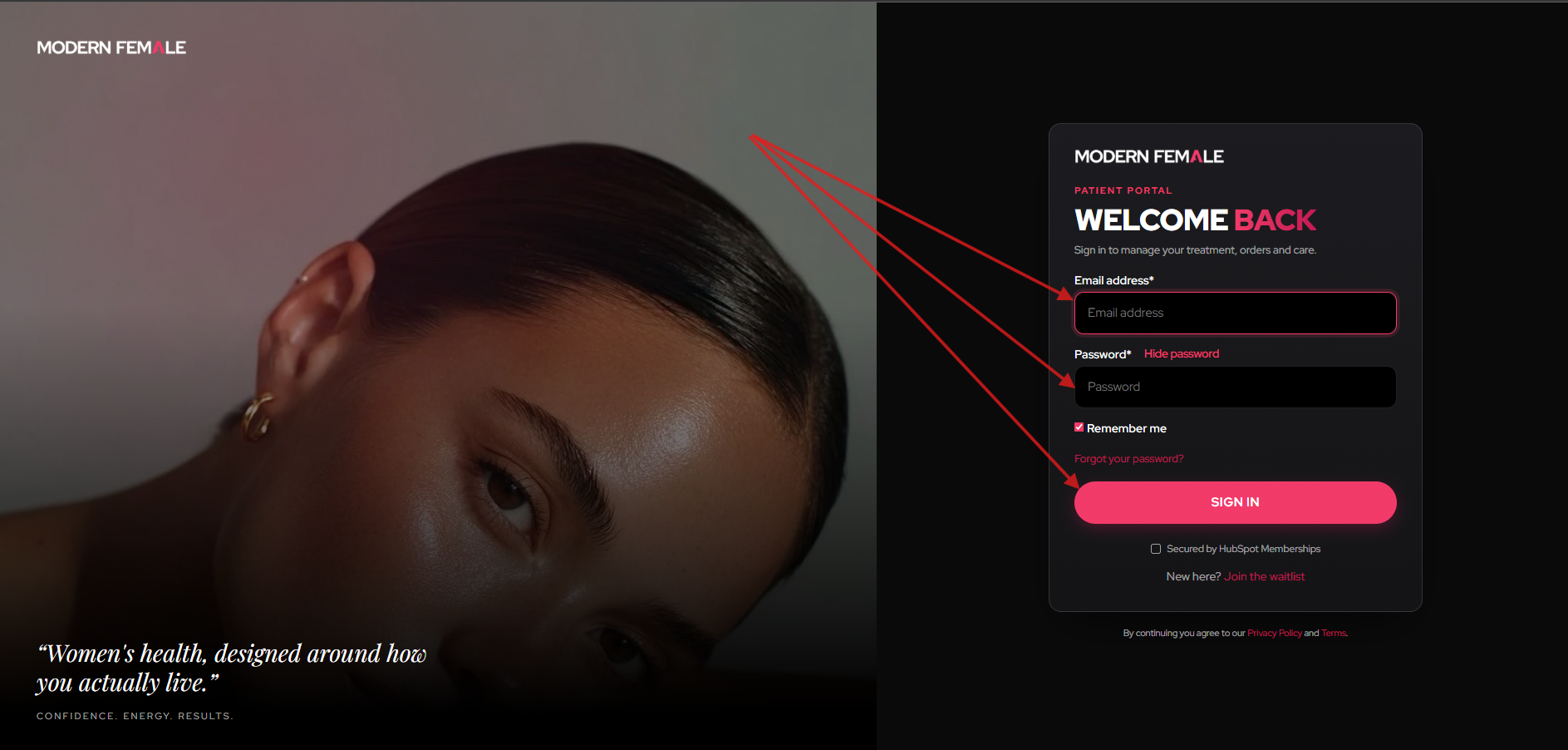
You'll then be taken to the Sign-In screen, where you can enter your email address and password to sign in.
Forgot Your Password?
If you don't remember your password, follow these steps:
- Go to modernfemale.com.au
- Click Login in the top-right corner.
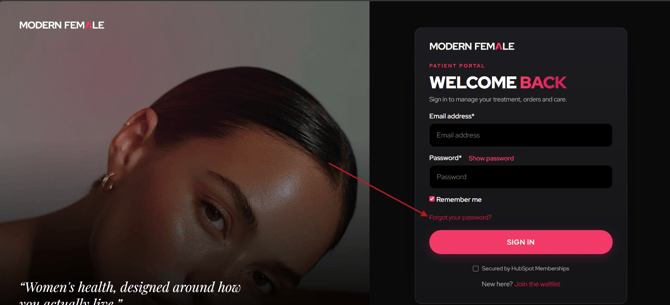
- On the Sign-In screen, click Forgot your password?
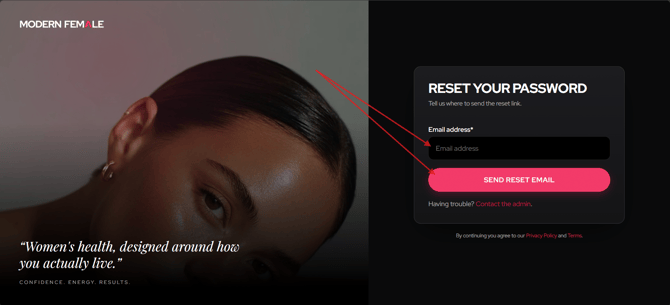
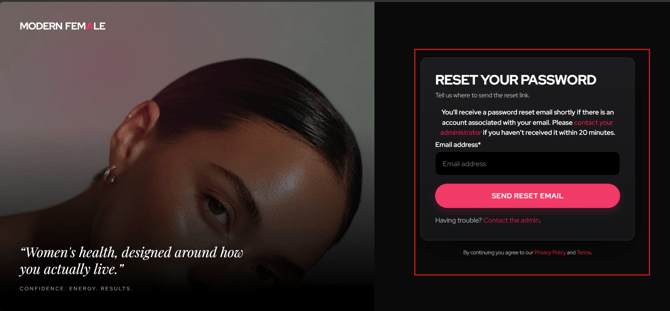
- Enter the email address associated with your account.
- Click Send Reset Email.
Once submitted, you'll see a confirmation message letting you know a reset email is on its way.
 If
If
you can't find the email, please check your spam/junk/other folders.Reset Your Password
- Search your inbox for an email from hello@modernfemale.com.au.
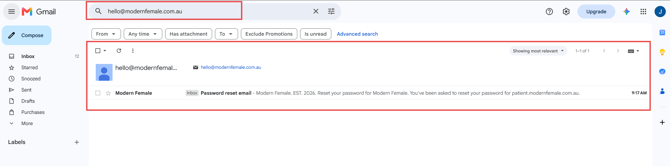
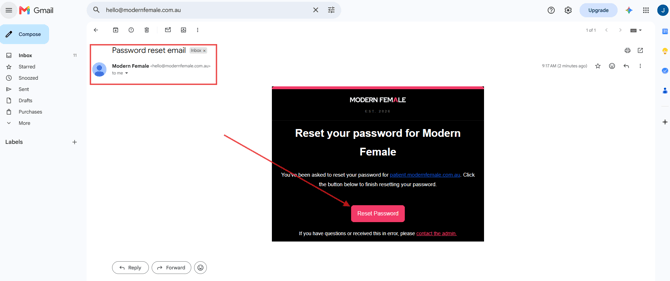
- Open the email and click Reset Password.
- Create a new password and click Sign In to complete the process.
What Happens Next
Once you've successfully signed in, you'll be taken to your Modern Female Patient Portal, where you can manage your treatment, orders and care.
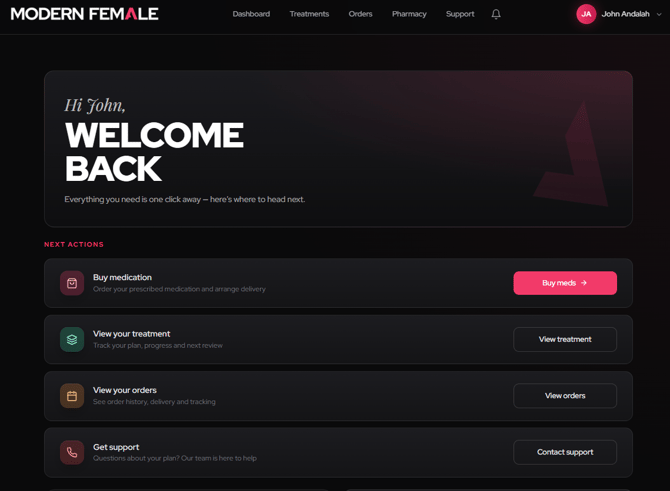
From the navigation menu, you can:
- Dashboard - View your treatment overview and next actions.
- Treatments - Track your plan, progress and next review.
- Orders - See your order history, delivery and tracking.
- Pharmacy - Order your prescribed medication and arrange delivery.
- Support - Contact our team if you need any further help.
Still Need Help?
If you're still unable to sign in after following the steps above, please try the following before contacting our support team:
- Try a different web browser, such as Google Chrome, Microsoft Edge, Safari, or Firefox.
- Try a different device, such as another computer, laptop, tablet, or your mobile phone.
- Clear your browser's cache and cookies, then close and reopen your browser before trying again.
- If you're using a work or company-managed device, try using a personal device instead, as some company security settings or browser policies can prevent the portal from functioning correctly.
If you've tried all of the above and you're still experiencing issues, please contact our Support Team and include:
- A screenshot (or short screen recording) of the issue.
- The browser and device you're using.
- A brief description of what happens after you click Sign In.
This information will help our technical team identify the cause and resolve the issue as quickly as possible.